Product Updates
The latest news and improvements from our team.

Turn long solution descriptions into beautiful, high-level abstract images using AI.

Visualize your ideas instantly
Don't have a mockup? No problem. AI can generate a professional "abstract" image that captures the essence of your solution, making your roadmap look premium even for the earliest ideas.
- Instant visuals: generate cover images based on your summary and description
- Brand consistency: choose a style that matches your company aesthetic
- Frictionless publishing: ship new ideas faster without waiting for design
Ideal for validating early-stage concepts that don't have a UI yet.
Write what you want and see if anything on the roadmap matches.

Search like a human
Customers and prospects can type a request (e.g. “SOC2 reports”, “bulk export”, “approval workflows”) and we’ll match against what’s already on the roadmap.
- Solution titles + summaries
- Description content
- Tags (future)
Reduce support pings by letting users self-serve.
Expose roadmap context to AI assistants through Model Context Protocol (MCP).
Connect Product Portal to your AI tools
Provide structured, permissioned context to AI assistants so they can answer roadmap questions and draft updates with live data. Keep AI responses aligned with what’s actually published.
- Real context: keep AI answers aligned with the latest roadmap state
- Permission controls: choose read-only or draft-level access
- Faster output: auto-generate summaries, briefs, and update drafts
Ideal for teams building internal PM copilots.
Expose roadmap context to AI assistants through Model Context Protocol (MCP).
Connect Product Portal to your AI tools
Provide structured, permissioned context to AI assistants so they can answer roadmap questions and draft updates with live data. Keep AI responses aligned with what’s actually published.
- Real context: keep AI answers aligned with the latest roadmap state
- Permission controls: choose read-only or draft-level access
- Faster output: auto-generate summaries, briefs, and update drafts
Ideal for teams building internal PM copilots.
Expose roadmap context to AI assistants through Model Context Protocol (MCP).
Connect Product Portal to your AI tools
Provide structured, permissioned context to AI assistants so they can answer roadmap questions and draft updates with live data. Keep AI responses aligned with what’s actually published.
- Real context: keep AI answers aligned with the latest roadmap state
- Permission controls: choose read-only or draft-level access
- Faster output: auto-generate summaries, briefs, and update drafts
Ideal for teams building internal PM copilots.
Expose roadmap context to AI assistants through Model Context Protocol (MCP).
Connect Product Portal to your AI tools
Provide structured, permissioned context to AI assistants so they can answer roadmap questions and draft updates with live data. Keep AI responses aligned with what’s actually published.
- Real context: keep AI answers aligned with the latest roadmap state
- Permission controls: choose read-only or draft-level access
- Faster output: auto-generate summaries, briefs, and update drafts
Ideal for teams building internal PM copilots.
Express yourself on every update.
We've added emoji reactions to the timeline. You can now celebrate launches, acknowledge status changes, and just show some love.
Give it a try below!
A first-class updates feed for your roadmap, bringing transparency to every release. fdsf gregre
test12
Vote for the next booking integrations you want us to build.
Help us prioritize the next native booking integration
We've launched Calendly, but we know many teams use other tools. Vote for your preference so we build the integration that removes the most friction.
- SavvyCal: deeply integrated booking
- Google Calendar: native booking pages
- Outlook/FindTime: enterprise scheduling
- Cal.com: open-source scheduling
Your vote helps us prioritize the next native integration.
Fresh content is now easier to spot.
We've released the 'New' badge indicator to help visitors spot the latest additions to your portal.
Automatically highlight recently published solutions with a 'New' badge.
Automatically highlight recently published solutions with a 'New' badge.
Freshness you can see
We've added a "New" badge to solutions published within the last 14 days. This helps customers and stakeholders quickly identify the latest additions to your roadmap.
- Automatic: Applied based on the published date—no manual toggle needed.
- Visible: Appears on solution cards and list views in both the Admin and Public Portal.
- Clear Signal: Draws attention to fresh activity and keeps the portal feeling alive.
This is now live for all solutions.
Trigger follow-ups and workflows from customer answers.

Automate follow-ups based on real signals
Turn validation answers into action. When a customer says X, you can kick off the right workflow immediately. This keeps follow-up consistent and fast.
Send tailored emails based on responses
Notify sales or success when key accounts opt in
Tag signups and route them to the right owner
Keep outreach consistent without manual work
Designed for teams that want signal-driven playbooks.
ff
fewfw


Move from demo data to a real backend with secure, reliable persistence.
Ready when your portal becomes real
When multiple teammates need access (and customers expect reliability), you’ll want a proper backend. This moves the portal from demo-grade to production-ready.
- Reliable storage: keep solutions, updates, and validation signals safe and consistent
- Real-time updates: keep the dashboard and portal in sync as changes happen
- Security by default: workspace-scoped access and audit-ready controls
Designed for teams who need multi-user access and shared ownership.
Bring ideas in from CSV or the tools you already use.
Start with what you already have
Move existing ideas into Product Portal without copy-paste. Import from CSV and connect to your current tools.
- Fast migration: bring in what is already tracked
- Less busywork: keep your roadmap source of truth in sync
- Cleaner launch: start validating with real ideas on day one
Start validating with a real backlog instead of a blank slate.
Display the product owner for each roadmap item so customers know who owns it.

Make ownership visible
Show the product manager responsible for each roadmap item so customers know who owns the work and who to contact. It builds trust and shortens the feedback loop.
Clear accountability: every item has a named owner
Faster routing: send feedback to the right PM
Customer confidence: see the person behind the plan
Helpful for larger portals with multiple PMs.
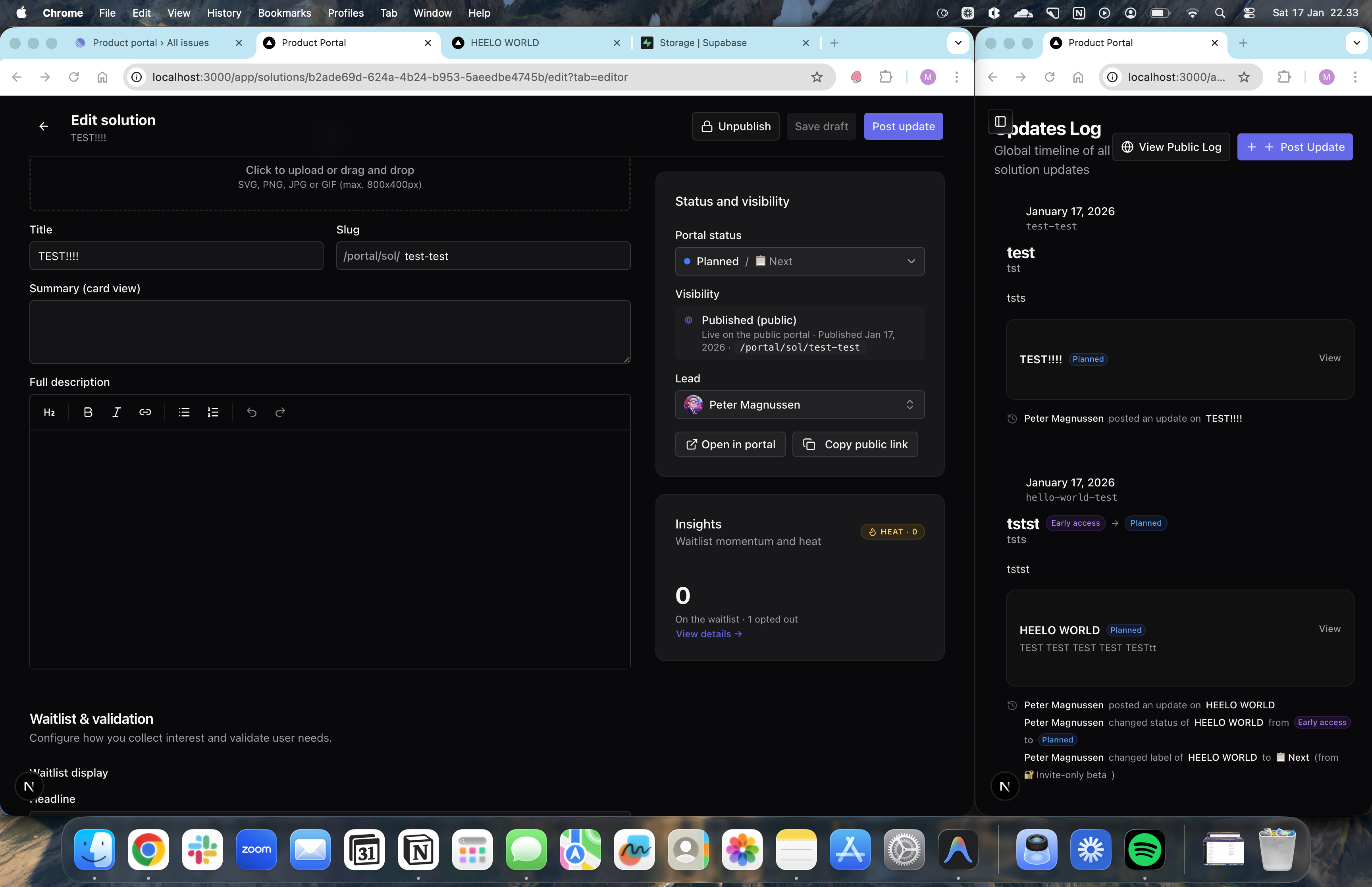
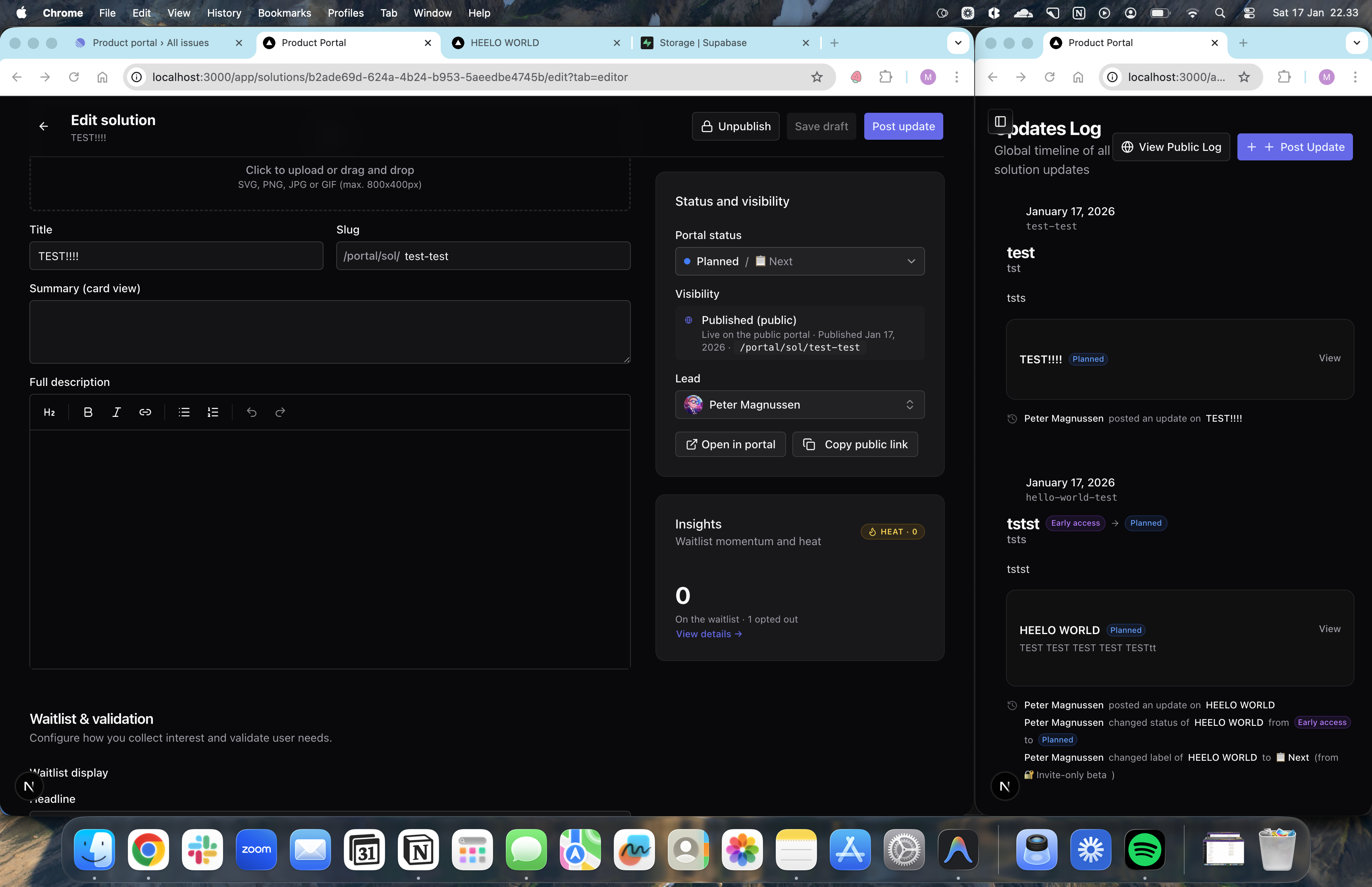
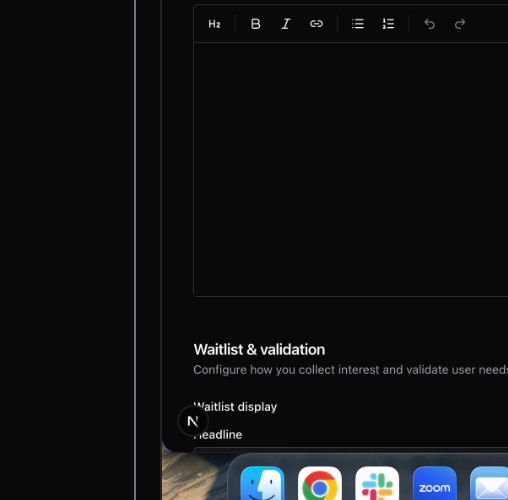
A first-class updates feed for your roadmap, bringing transparency to every release. fdsf gregre
Close the loop with your customersvdvsd
The Updates Log is a dedicated place to share progress, announce status changes, and keep your roadmap momentum visible. It gives customers a predictable place to check what changed and why.
Linear-style timeline: a chronological view of launches, edits, and status moves
Interactive reactions: quick feedback without long threads
System events: automatic logging for status changes, edits, and validation updates
Metadata stamps: lightweight context like scope, owner, or release notes
Use it to replace ad-hoc updates with a consistent, trustworthy source of truth.
AI follow-up prompts that turn open-ended answers into richer signal. test

Get deeper answers without a longer form
When someone answers an open-ended question, AI can ask up to two tailored follow-ups to clarify what they mean. It keeps the flow short while improving clarity.
Richer context from the same respondentfewfewfw
Great for end-of-flow qualitative insight
Keeps the experience fast and focused
Best when the prompt is specificffdsfds
Helps avoid vague responses without a longer form.
Validate high-stakes features by asking for a deposit or payment commitment.
Put money on the table
The ultimate validation signal. For expensive or risky features, ask customers to commit budget before you build.
- Deposit flow: collect a small payment as a signal
- LOI generation: automate the paperwork for commitment
- Budget qualifier: ask about budget authority
Only for the highest-conviction bets.
Add images to solution descriptions for a more premium, visual feel.
Show, don’t tell
Bring releases and ideas to life with images so customers can understand scope without a call.
- Screenshots and mockups embedded directly in updates
- Cover images for solutions to improve scanning
- Upload-ready assets that keep visuals consistent across the portal
Visuals help set expectations on what “released” actually means.
A crisp marketing page: get in contact, and jump into the portal.
First impression matters
A lightweight landing page for prospects and customers that sets context before they hit the portal.
- Value prop: explain what Product Portal is in 10 seconds
- Get in contact: clear CTA with a simple contact flow
- See our portal: link into
/portalfor live roadmap transparency
Useful when sharing the portal for the first time with prospects.
Require email confirmation to prevent spam and ensure high-quality signal.
Trust your data
Prevent typos and bots by requiring a quick email confirmation link. Ensures your waitlist is reachable.
- Magic link: click to verify
- Spam protection: keep the database clean
- Deliverability: better sender reputation
Essential for public-facing portals.
Expose roadmap context to AI assistants through Model Context Protocol (MCP).
Connect Product Portal to your AI tools
Provide structured, permissioned context to AI assistants so they can answer roadmap questions and draft updates with live data. Keep AI responses aligned with what’s actually published.
- Real context: keep AI answers aligned with the latest roadmap state
- Permission controls: choose read-only or draft-level access
- Faster output: auto-generate summaries, briefs, and update drafts
Ideal for teams building internal PM copilots.
Download your validation data to analyze in Excel or connecting to other tools.
Your data, anywhere
Don't let data get trapped in the portal. Export your waitlists, responses, and kudo counts to CSV for deep analysis.
- Full dump: get every row of data
- Standard format: works with Excel, Sheets, and Tableau
- Backup: keep a local copy of your signals
Essential for deep-dive reporting.
Write rich updates with markdown-style shortcuts and clean, consistent formatting.
Write updates that look premium
Use a Notion-style editor to create clear, structured updates that render beautifully on the portal. Write once and keep every update consistent.
- Fast shortcuts: use
#for headings,-for lists, and more - Consistent formatting: typography that stays clean across solutions and updates
- Fewer “formatting fights”: focus on the message, not the markup
Coming soon: slash commands for even faster authoring.
Push roadmap updates to Intercom for in-app announcements.
Announce where users are
Push your release notes and new solutions directly to Intercom. Show them to users inside your product.
- In-app relevance: user sees the update while using the tool
- Segment targeting: use Intercom segments to show the right updates
- One publish: write in Portal, send to Intercom
Maximize feature adoption.
Add a concise card that explains what each status means.
Make status meaning explicit
Explain what each status means so customers know when to expect updates and how to interpret momentum. This cuts down on “what does planned mean?” questions.
- Status definitions: spell out what each stage represents in your process
- Expectation setting: reduce follow-up questions and confusion
- Customizable copy: tailor language to your team and audience
Works well alongside status chips and portal filters.
Reorder solutions and change statuses with a drag-and-drop interface.
Organize with flow
Move cards around to prioritize. Drag between columns to change status. A tactile way to manage the roadmap.
- Visual prioritizing: stack rank items by dragging
- Status moves: drag to "Released" to ship
- Fast organization: clean up the board quickly
Makes roadmap management feel more like a workspace.
Generate beautiful social sharing cards automatically for every solution.
Look good on social
When you share a solution link on Slack, Twitter, or LinkedIn, it should look professional. We generate a custom image for every card.
- Auto-generated: uses the title, status color, and summary
- Always fresh: updates if you change the text
- Branded: matches your portal's theme
Increases click-through on shared links.
A dense, data-rich table view for managing many solutions at once.
Manage at scale
Cards are great for browsing, but tables are better for managing. The list view gives you a dense overview of your entire roadmap.
- Sortable columns: order by status, date, or signal
- Quick actions: edit or delete from the row
- Scannable metadata: see analytics numbers inline
For power users with big backlogs.
Group solutions by product label or strategic initiative for easier scanning.
Group your roadmap by product label
Segment solutions into clear labels so customers and internal teams can browse faster and understand strategy at a glance. Helpful when you run multiple products or initiatives.
- Flexible grouping: organize by domain or strategic initiative
- Cleaner browsing: filter the portal by label instead of a long mixed list
- Clearer ownership: align labels to teams or PM owners
Use labels to show how work ladders to larger bets.
Two-way sync with Linear issues to keep engineering and product status aligned.
Engineering and Product, in sync
Map a Product Portal solution to a Linear project or epic. When engineering moves it to "Done", your roadmap updates automatically.
- Status mapping: define which Linear state triggers which Portal status
- Link payback: see the Linear link in the admin portal
- Auto-close: close the feedback loop when code ships
Stop manually updating two tools.
A unified command palette that works across all your tools and applications.
Command everything from one place
A global command palette that integrates with your entire tech stack, letting you search, navigate, and execute actions across all your tools from a single interface. Think Cmd+K for your full product workflow.
- Universal search: find solutions, updates, and accounts across tools
- Action execution: run commands, create items, and trigger workflows
- Context awareness: smart suggestions based on what you're working on
- Custom integrations: connect to the tools your team already uses
Built for PMs who live in multiple systems every day.
Follow updates across all solutions and get notified when things change.
One feed, everything new
A public-facing updates stream that rolls up changes across solutions, so customers can stay informed without checking every card.
- Follow all solutions (or just the ones you care about)
- See status transitions and release notes in one place
- Notifications (email first; more channels later)
Great for champions who want a single feed to share internally.
A clearer read on demand, conversion, and momentum.
The analytics dashboard is now generally available.
A unified dashboard to track portal engagement, validation funnel health, and demand signals.
Automatically draft release notes based on solution descriptions when status changes to Released.
Ship faster, write less
When you move a card to "Released", AI drafts the release note for you based on the solution details. You just polish and publish.
- Auto-draft: starts the writing for you
- Context-aware: uses the problem/solution text you already wrote
- Consistency: keeps the voice and format standard
Makes shipping feel like less of a chore.
Write what you want and see if anything on the roadmap matches.
Search like a human
Customers and prospects can type a request (e.g. “SOC2 reports”, “bulk export”, “approval workflows”) and we’ll match against what’s already on the roadmap.
- Solution titles + summaries
- Description content
- Tags (future)
Reduce support pings by letting users self-serve.
Turn long solution descriptions into beautiful, high-level abstract images using AI.
Visualize your ideas instantly
Don't have a mockup? No problem. AI can generate a professional "abstract" image that captures the essence of your solution, making your roadmap look premium even for the earliest ideas.
- Instant visuals: generate cover images based on your summary and description
- Brand consistency: choose a style that matches your company aesthetic
- Frictionless publishing: ship new ideas faster without waiting for design
Ideal for validating early-stage concepts that don't have a UI yet.
A unified dashboard to track portal engagement, validation funnel health, and demand signals.
Overview for roadmap signals
Give your team a fast read on what earns attention, starts, and waitlist commitment. Use it in weekly roadmap reviews and planning.
- KPI snapshot: portal views, waitlist growth, and signal heat
- Signal overview funnel: views -> starts -> waitlist with conversion by timeframe
- Top signals: most waitlisted, hottest, and most viewed solutions
- Published solutions mix: status distribution at a glance
Built for PMs who need to connect demand to decisions, not just vanity metrics.
Support for text, number, and multi-select questions in validation forms.
Ask the right questions
Simple "yes/no" isn't always enough. We added rich question types to get better data.
- Free text: for qualitative feedback
- Numeric: for budget or team size
- Multi-select: for feature preferences
Design the perfect validation form.
Shuffle solution order to give every idea a fair chance at visibility.
Fair exposure for every idea
Static lists favor the top items. Random sorting ensures that every solution gets seen, preventing bias in your validation data.
- Fair rotation: shuffle order on load
- Seed-based: consistent order for a session, so items don't jump around while browsing
- Bias reduction: no "bottom of the list" penalty
Keeps the validation data cleaner.
Allow larger organizations to manage users via Okta/Azure AD.
SSO that enterprise buyers expect
Make rollout easier and access more secure for larger organizations. This is often a procurement blocker, so we want it first-class.
- SAML SSO: sign in with Okta, Azure AD, and other identity providers
- SCIM provisioning: automate user creation and deprovisioning
- Audit-friendly controls: clear access history and fewer shared credentials
Unblocks security reviews without custom workarounds.
See which companies are raising their hand, what they’re waiting for, and capture who they are once—so every signup is higher-signal.
Know who’s waiting, not just how many
Waitlist volume is useful. Knowing which customers and prospects are waiting is better. This connects demand to the accounts that matter.
- Company rollups: group signups by email domain to spot account-level demand
- Who + why: capture name, role, company, and context from lightweight questions
- One-time profile: save details once so repeat signups are frictionless
- Feature coverage: see what each company is waiting for across the roadmap
- Account heat: prioritize accounts with multiple signals across solutions
This helps you prioritize the work that moves deals forward, retains accounts, or unlocks expansion.
Add a native scheduling experience to your solutions to validate with high-signal calls.
Schedule time in one click
Sometimes a waitlist isn’t enough—customers want to talk. Add a scheduling link to convert interest into a concrete conversation.
- Validate faster: turn interest into scheduled calls
- Reduce friction: no email back-and-forth to find a time
- Qualify demand: learn who needs it and why
Released: Native integration for Calendly and custom scheduling links with unified action buttons.
Give your roadmap a branded home on its own URL.
Your roadmap, on your own URL
Give customers a clean link they can bookmark, share internally, and trust. It keeps go-to-market on one consistent URL.
- Branded subdomain: e.g.
acme.productportal.comfor a trusted feel - Cleaner sharing: a stable link for AEs, CSMs, and champions
- Room to grow: foundation for private portals and segmentation
Future: custom domains like roadmap.acme.com for full brand control.
Optional discussion threads on update posts so customers can respond in context.
Invite feedback where it matters
Comments give customers a place to ask follow-ups or add context right on the update. Keep feedback tied to the exact change it references.
- Optional per team: enable comments only if it fits your workflow
- Threaded context: keep replies attached to the exact update
- Signal collection: spot questions that need a follow-up post
We are exploring this as an optional layer, not a default requirement.
Post new roadmap items directly to a #product-updates channel.
Bring roadmap updates to Slack
Keep your team in sync when new items are published or statuses change—right where you already work. Reduce manual posts and missed updates.
- Post updates to a dedicated channel (e.g.
#product-updates) with clear context - Optional weekly digest for a quick recap
- Configurable notifications by status so the right teams see the right changes
Great for Product, CS, and Sales alignment without extra meetings.
Distinct colors for each solution status to improve scannability.
Scan the roadmap at a glance
Each stage has a distinct color so you can quickly understand where things stand. It reduces misreads when scanning long lists or update feeds.
- Under consideration: early evaluation
- Planned: committed to build
- Early access: live with a small cohort
- Released: shipped and available
Turn “sounds cool” into real signal: structured questions, waitlist join, and opt-out controls.
Higher-signal validation (without making it heavy)
Move beyond vibes by guiding customers through a lightweight flow that creates real commitment. Capture context up front so signups are more actionable.
- Validation gate: ask 1–3 targeted questions before signup
- Waitlist lifecycle: customers can opt out without losing the record
- PM controls: see signups, statuses, and remove entries when needed
- Delight moment: a small celebration after signup to reinforce intent
Use this when you need higher signal without turning validation into a survey.
Ensure the portal looks and works great on phones and tablets.
Roadmap on the go
Stakeholders don't always check the roadmap from their desk. We optimised the entire portal for mobile screens.
- Stacking grids: content adapts to any width
- Touch-friendly targets: buttons and inputs sized for fingers
- Readable typography: text scales for legibility
Review the roadmap from anywhere.
A customer-facing roadmap portal that turns feedback into commitment.
Your roadmap, now customer-facing
Product Portal gives you a shareable home for your roadmap so customers see what's next and can commit to it. It is built for PMs who need validation without endless email threads.
Use it to validate expansion bets, run early access programs, and keep champions informed with a single source of truth.
- Roadmap transparency: a clean status view on a single link teams can bookmark
- Real intent signals: waitlists, bookings, and referrals tied to each solution
- Lifecycle updates: notify followers when a bet moves, opens, or ships
Early access: we are onboarding product teams now.
A friction-free way for users to say "I want this" without typing.
One click signal
Not every feature needs a full waitlist. Kudos gives users a low-friction way to vote for ideas they like.
- Instant feedback: no form to fill out
- Aggregate sentiment: see which ideas have heat
- Fun interaction: a small delight moment when voting
Good for lower-stakes validation.
Deep-dive pages for every roadmap item with formatted descriptions and context.
More than a card
Sometimes a summary isn't enough. Solution Detail Pages give you a full canvas to explain the problem, the solution, and the value.
- Rich text descriptions: use HTML/Markdown to tell the story
- Metadata sidebar: show owner, status, and label clearly
- Focused validation: the call-to-action stays visible and relevant
Essential for communicating complex features.
A dedicated interface for PMs to manage solutions, updates, and settings.
Where the roadmap happens
The Admin Portal is the PM's command center. It separates the public view from the management view, giving you a private space to draft, edit, and organize.
- Solution management: create, edit, and update solutions in a focused editor
- Validation dashboard: separate view to analyze incoming signals
- Workspace settings: configure labels, sorting, and branding
This is the foundation for all future admin capabilities.
The fundamental engine for capturing and managing user interest.
Capture demand, not just emails
The core waitlist system creates the database and logic to store user interest. It is the backbone of our signal collection.
- Secure storage: emails and answers stored safely
- Uniqueness checks: prevent duplicate signups
- Exportable data: get your lists out when you need them
Required for any validation flow.
A test solution to verify quarter-based grouping.
A test solution to verify year-based grouping.